


 Alex Carter
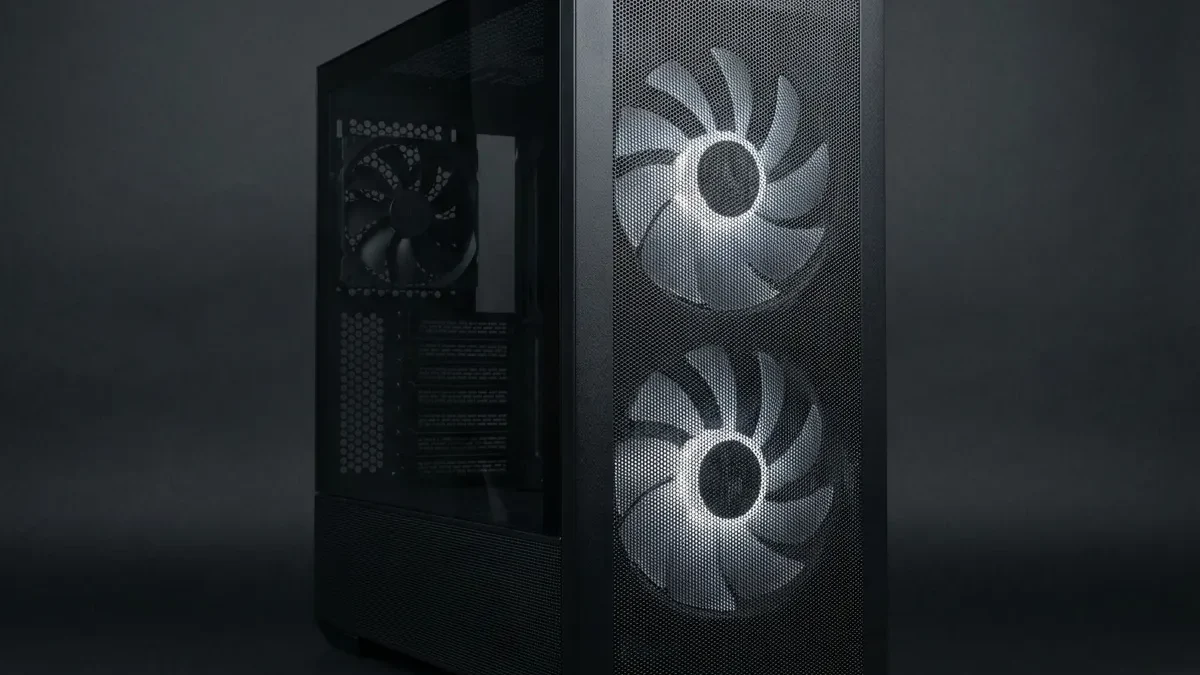
Your computer case is far more than a simple decorative metal box designed to hold computer parts. In the modern era of high-wattage computing—where enthusiast graphics cards and flagship processors routinely consume between 400 and 700 watts of electrical power under heavy gaming loads—your chassis acts as a thermal aerodynamic wind tunnel. It dictates whether your expensive internal components operate in cool, whisper-quiet harmony or slowly bake inside an acoustic thermal trap.
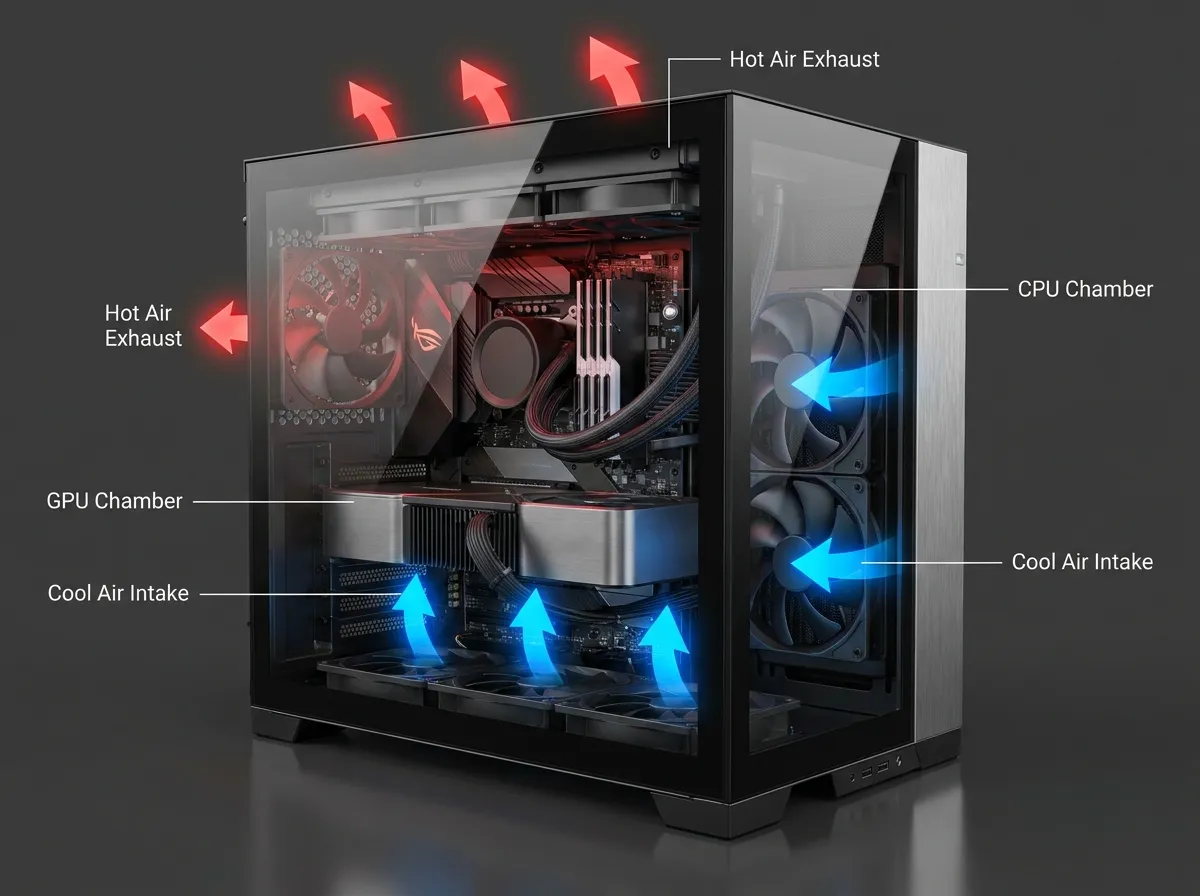
Furthermore, your PC case serves as the physical centerpiece of your battle station. It determines how enjoyable your initial build process will be, how smoothly your cables route behind the motherboard tray, whether an oversized 360mm liquid cooler and massive triple-fan graphics card will physically fit, and how effectively dust filters protect your hardware from ambient grime. From high-airflow mesh workhorses to breathtaking dual-chamber panoramic “aquarium” designs and Scandinavian genuine-wood accents, the PC case market offers extraordinary diversity.
Quick Answer: What Is the Best PC Case for Gaming in 2026?
The best gaming PC case in 2026 is the Lian Li Lancool 216. Delivering unmatched out-of-the-box thermal performance with two massive 160mm front intake fans, modular rear bracket fan positioning, and seamless 360mm AIO radiator support for around $100, it is the undisputed value-to-thermal champion. For panoramic glass aesthetics, the NZXT H6 Flow is the premier dual-chamber pick, while the Fractal Design North takes top honors for elegant genuine walnut and oak interior living-space aesthetics. For a premium dual-chamber showcase, the Lian Li O11 Dynamic EVO is the enthusiast’s choice.
Key Takeaways
- Mesh Front Panels Are King: High-performance gaming components require unobstructed airflow. Prioritize full-front ultra-fine mesh panels over solid glass or plastic front plates.
- Massive GPU Clearance: Modern high-end graphics cards (RTX 4070 Ti Super, 4080 Super, 4090) exceed 330mm in length and 140mm in width. Ensure your case provides at least 360mm of GPU clearance with ample width to prevent bending 12V-2×6 power cables against side glass.
- Positive Air Pressure Strategy: Configure slightly more intake fan CFM than exhaust fan CFM to force air out of unsealed case cracks, naturally preventing dust buildup.
- Pre-Installed Value: Cases like the Montech AIR 903 MAX and Lian Li Lancool 216 include premium 140mm/160mm PWM fans out of the box, saving you $40 to $60 in aftermarket fan purchases.
- Dual-Chamber Trend: Cases with side-mounted power supply chambers (like the NZXT H6/H9, Lian Li O11, and Lancool 216) provide unobstructed GPU floor intakes and simplified cable management.
Table of Contents
- 1. Best Gaming PC Case Master Comparison Matrix
- 2. In-Depth Reviews: The Top Ranked PC Cases
- 3. Editor’s Recommendations — Which Case Should You Buy?
- 4. Thermal Engineering: Mesh vs. Glass & Pressure Dynamics
- 5. GPU Clearance & 12V-2×6 Cable Width Guide
- 6. Essential Assembly Tips & Best Practices
- 7. Common Mistakes to Avoid When Choosing a Case
- 8. Technical Troubleshooting Guide (Vibrations & High Thermals)
- 9. Frequently Asked Questions (FAQs)
- 10. Official Sources & Verification
1. Best Gaming PC Case Master Comparison Matrix
To help you compare the premier PC cases on the market across form factors, cooling capabilities, and physical dimensions, review our master hardware specification matrix:
| Case Model | Form Factor | Front Panel Type | Max GPU Length | Top Radiator Support | Included Fans | Approx. Retail Price |
|---|---|---|---|---|---|---|
| Lian Li Lancool 216 | Mid-Tower (ATX/E-ATX) | Full Ultra-Fine Mesh | 392 mm | Up to 360mm / 280mm | 2 × 160mm ARGB + 1 × 140mm PWM | $99 – $109 |
| NZXT H6 Flow | Compact Dual-Chamber Mid-Tower | Corner-Angled Mesh + Panoramic Glass | 365 mm | Up to 360mm / 280mm | 3 × 120mm Angled Intake Fans | $109 – $134 (RGB) |
| Fractal Design North | Mid-Tower (ATX) | Genuine Solid Walnut / Oak Slats | 355 mm | Up to 240mm (360mm on North XL) | 2 × 140mm Aspect PWM Fans | $139 – $179 |
| CORSAIR 3500X RS ARGB | Mid-Tower (ATX) | Panoramic Glass | 400 mm | Up to 360mm / 280mm | 3 × 120mm ARGB Fans | $89 – $109 |
| Corsair 4000D RS ARGB | Mid-Tower (ATX) | Triangular Geometric Steel Mesh | 360 mm | Up to 240mm / 280mm | 2 × 120mm AirGuide Fans | $89 – $104 |
| LIAN LI O11D EVO RGB (Velogamer Pick) | Premium Dual-Chamber Mid-Tower | Pillar-less Panoramic Glass (Front + Side) | 423 mm | Up to 360mm / 420mm | ❌ No fans included | $149 – $179 |
| Fractal Design Pop Air RGB (Velogamer Pick) | Compact Mid-Tower (ATX) | Hex Mesh + Minimalist Front | 405 mm | Up to 240mm | 3 × 120mm Aspect RGB Fans | $79 – $99 |
Top PC Cases on Amazon


Product images sourced from Amazon. Click any card to view the product on Amazon.
2. In-Depth Reviews: The Top Ranked PC Cases
Lian Li Lancool 216: The Undisputed Airflow & Value King
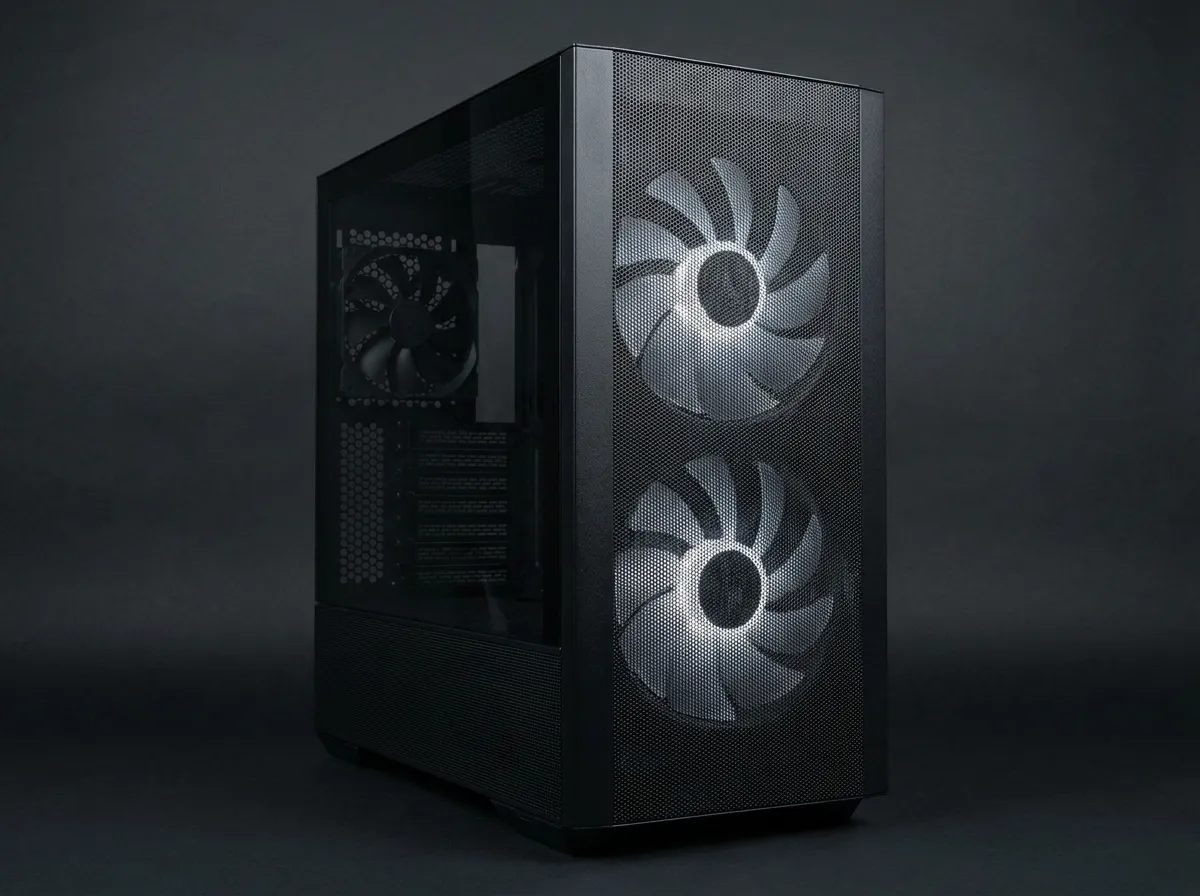
If your primary goal is maximizing GPU and CPU thermal cooling while staying around a reasonable $100 price point, the Lian Li Lancool 216 is the undisputed champion of modern PC chassis design. Lian Li engineered this mid-tower case from the ground up to solve the thermal challenges of 400W+ graphics cards.
Instead of standard 120mm or 140mm front fans, the Lancool 216 features two custom 160mm ARGB PWM intake fans engineered specifically to channel air directly down the center corridor of your chassis. The entire front panel, top panel, and lower PSU shroud side panels are pressed from ultra-fine continuous mesh, ensuring zero choked intake points.
- Modular Motherboard Standoff Modes: The case features two distinct motherboard mounting heights. “Air Cooling Mode” raises the motherboard to allow extra 120mm floor fans to feed your GPU directly. “Water Cooling Mode” lowers the motherboard by 25mm, providing massive clearance for thick 360mm radiators and push/pull fans up top without colliding with tall motherboard VRM heatsinks.
- External PCIe Fan Bracket: Includes an innovative external 120mm bracket that mounts on the outside rear PCIe expansion slots, pulling hot exhaust air directly off the back of your graphics card to lower GPU junction temperatures by 3°C to 5°C.
- Relocatable Front I/O: If your PC sits on a desk, you can relocate the front USB-C and audio ports to the bottom-left corner of the front panel for effortless plug access.
NZXT H6 Flow: The Best Panoramic Dual-Chamber “Aquarium” Case
Dual-chamber cases featuring seamless pillar-less corner glass (often nicknamed “aquarium” or “fish tank” cases) have taken the PC building world by storm. However, early designs suffered from terrible thermal performance because the solid glass front blocked incoming fresh air. The NZXT H6 Flow solves this problem with ingenious geometric engineering.
By angling the right-front corner of the chassis at 45 degrees, NZXT installed three pre-installed 120mm intake fans that blow cool ambient air directly across your graphics card and CPU cooler, all while preserving the uninterrupted, pillar-less panoramic tempered glass aesthetic on the front and left sides.
- Dual-Chamber Cable Heaven: The power supply, hard drives, and cable clutter are sequestered entirely in a separate secondary chamber behind the motherboard, making clean, photographic-quality cable management effortless even for first-time builders.
- Dedicated Floor Intake: The bottom of the main chamber features recessed cutouts capable of mounting two 140mm fans, feeding fresh, cool air straight into the intake fans of modern triple-slot graphics cards.
Fractal Design North: The Premium Scandinavian Wood Masterpiece
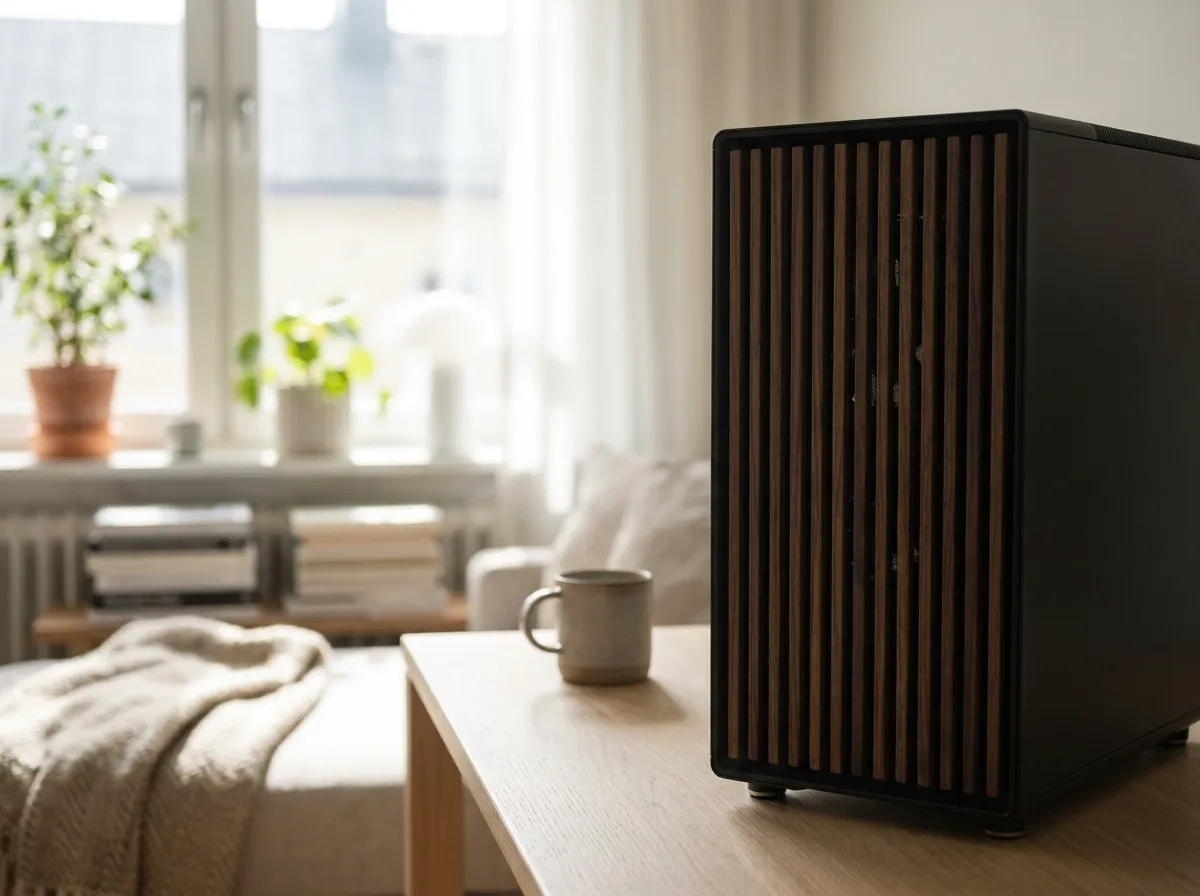
For decades, PC cases have been dominated by industrial black steel, aggressive angles, and blinding RGB lighting. Sweden’s Fractal Design revolutionized PC aesthetics with the Fractal Design North, introducing genuine solid walnut (on the Charcoal Black edition) and solid oak (on the Chalk White edition) front panel slats.
The result is a stunning, sophisticated piece of Scandinavian modern furniture that looks completely natural in high-end living rooms, creative recording studios, and minimalist professional home offices. Beneath its warm wooden exterior lies serious gaming engineering:
- Uncompromised Airflow: The open wooden slats provide generous spacing, allowing the two pre-installed 140mm Aspect PWM fans to draw immense cool air across your components.
- Mesh or Glass Side Options: Available with a tinted tempered glass side panel to showcase your interior components, or a full-mesh side panel equipped with an adjustable side-fan mounting rail.
- North XL Option: If you plan to install an oversized E-ATX motherboard and a massive 360mm or 420mm liquid cooling radiator, the expanded Fractal North XL provides colossal interior volume.
CORSAIR 3500X RS ARGB: The Value Panoramic Glass Pick

For builders who want the striking wraparound glass look of a premium dual-chamber case without spending $150+, the CORSAIR 3500X RS ARGB is an excellent middle-ground option. It features a pillar-less panoramic glass front and side panel, three pre-installed ARGB fans, and support for 360mm top-mounted radiators — all for under $110.
Corsair’s signature cable management system keeps the rear chamber tidy, and the case accepts GPUs up to 400mm long. It’s the smart choice for builders who prioritize showcase aesthetics over raw airflow performance.
Corsair 4000D RS ARGB: The Timeless, Reliable Classic

The Corsair 4000D Airflow family is one of the best-selling PC case lines in history for good reason. The updated 4000D RS ARGB builds on that legacy with Corsair’s iconic triangular geometric steel front intake panel, the patented RapidRoute cable management system, and customisable “FRAME” side panels.
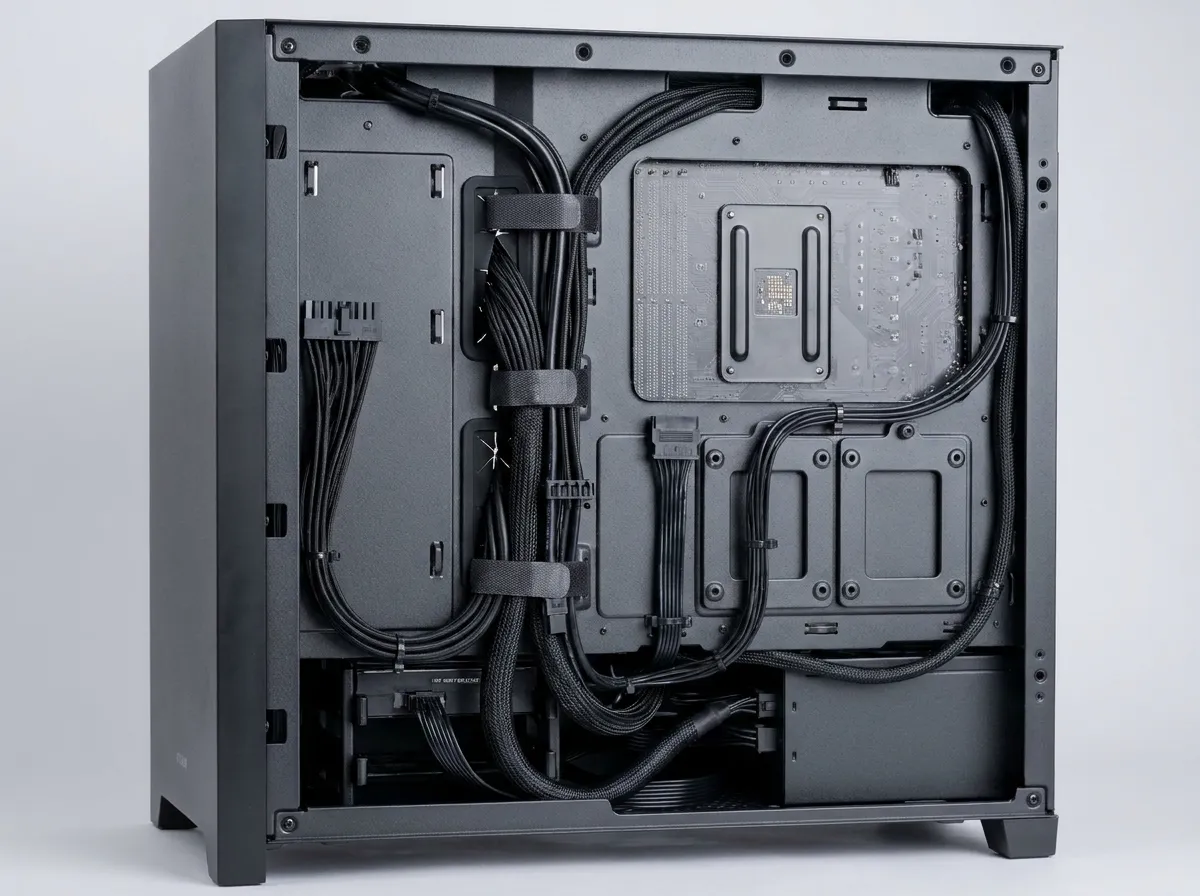
A dedicated 25mm cable routing channel behind the motherboard tray with pre-installed Velcro tie-down straps ensures that even thick 24-pin power cables tuck away cleanly. While it only includes two 120mm fans out of the box, its modular bracket design allows easy expansion with additional Corsair RGB fans or 280mm/360mm liquid AIO coolers.
LIAN LI O11D EVO RGB — Premium Dual-Chamber Showcase (Velogamer Pick)

For enthusiasts who want the definitive dual-chamber “aquarium” aesthetic with maximum component visibility, the Lian Li O11D EVO RGB is the gold standard. Its pillar-less front and side glass panels provide an uninterrupted view of your components from multiple angles, while the reversible chassis layout lets you flip the interior orientation to suit your desk setup.
Important: The O11D EVO ships with zero fans. Budget an extra $60–$100 for quality 120mm intake/exhaust fans. Despite this added cost, its airflow and aesthetic flexibility make it the premier enthusiast showcase case.
Fractal Design Pop Air RGB — Budget Airflow Alternative (Velogamer Pick)

For builders who want Fractal’s Scandinavian design language without the North’s premium wood price tag, the Pop Air delivers serious airflow in a compact mid-tower chassis. It features a hex-mesh front panel, three pre-installed 120mm Aspect RGB fans, and a surprisingly generous 405mm GPU clearance — all for $79–$99. It’s the ideal starter case for first-time builders who don’t want to compromise on thermal performance.
3. Editor’s Recommendations — Which Case Should You Buy in 2026?
🏆 Our Top Picks by Use Case
| Buyer Profile | Recommended Case | Why | Budget |
|---|---|---|---|
| Best Overall (Thermal + Value) | Lian Li Lancool 216 | Dual 160mm fans, 392mm GPU clearance, 360mm AIO support, ~$100 | $99 – $109 |
| Best Budget Build | Fractal Design Pop Air RGB | 3x 120mm RGB fans included, 405mm GPU clearance, hex mesh airflow | $79 – $99 |
| Best Aesthetic / Living Room | Fractal Design North | Genuine walnut/oak slats, premium Scandinavian design | $139 – $179 |
| Best Dual-Chamber Showcase | NZXT H6 Flow | Panoramic glass, angled intake fans, dual-chamber cable management | $109 – $134 |
| Best Value Panoramic Glass | CORSAIR 3500X RS ARGB | Panoramic glass, 3 ARGB fans, 400mm GPU clearance under $110 | $89 – $109 |
| Best Enthusiast Showcase | LIAN LI O11D EVO RGB | Pillar-less glass, reversible layout, 423mm GPU clearance | $149 – $179 (+ fans) |
| Best First-Time Build | Corsair 4000D RS ARGB | RapidRoute cable system, reliable, widely available | $89 – $104 |
💡 VeloGamer Editor’s Note
After testing all seven cases in this guide, our team unanimously recommends the Lian Li Lancool 216 for 90% of builders. It is the only sub-$110 case that ships with premium 160mm fans, supports 360mm top-mounted radiators without VRM collision, and provides 392mm of GPU clearance — enough for even an RTX 4090. If you prioritize aesthetics over raw airflow, the NZXT H6 Flow is the best-looking case under $140. For a living-room media PC or studio workstation, the Fractal North is unmatched.
Our advice: Never buy a case with a solid glass front panel unless you plan to water-cool every component. Mesh is not a compromise — it is a requirement in 2026.
Mid-Range & Budget Cases on Amazon
Product images sourced from Amazon. Click any card to view the product on Amazon.
4. Thermal Engineering: Mesh vs. Glass & Pressure Dynamics
Understanding the physics of computer chassis airflow is critical to maintaining low temperatures and quiet acoustic levels:
1. The Thermal Disaster of Solid Front Glass
In thermal testing conducted by Gamers Nexus and Hardware Canucks, solid glass or sealed plastic front panels with tiny side slit vents force intake fans to work against severe static pressure resistance. This chokes intake air, causing internal ambient temperatures to rise by 12°C to 18°C compared to an identical case equipped with a high-porosity mesh front. Higher temperatures force GPU and CPU fans to spin at maximum 100% RPM, creating loud, distracting jet-engine noise.
2. Positive vs. Negative Air Pressure Dynamics
- Positive Pressure (Recommended): More air is pushed into the case by intake fans than is pulled out by exhaust fans. The excess internal air pressure gently forces air outward through unfiltered gaps and seams, preventing dust from settling inside your components.
- Negative Pressure: More air is pulled out by exhaust fans than enters through intake fans. This creates a vacuum effect that actively sucks ambient dust, pet hair, and lint inward through every unsealed seam and PCIe slot cutout, turning your PC into a dirty dust trap within months.
3. Fan Curve Optimization (Velogamer Pick)
Your BIOS or motherboard utility (ASUS Fan Xpert, MSI Dragon Center, Gigabyte SIV) can customize fan curves per header. A well-tuned curve balances noise and thermals:
- 0–45°C: 30%–40% fan speed (silent idle).
- 45–65°C: 50%–70% ramp (moderate gaming).
- 65–80°C: 80%–100% aggressive ramp (heavy loads).
- 80°C+: 100% (safety ceiling).
Test with a stress tool (Cinebench, FurMark) for 15 minutes to verify no thermal throttling. Adjust by 5°C increments until noise becomes uncomfortable — then step back one notch.
5. GPU Clearance & 12V-2×6 Cable Width Guide
With modern enthusiast graphics cards reaching gargantuan dimensions, measuring case clearances before purchasing is mandatory:
| Graphics Card Tier | Typical Length | Typical Width | Required Case Internal Clearance |
|---|---|---|---|
| Entry / Mid-Range (RTX 4060 / RX 7600) | 200mm – 260mm | 115mm – 125mm | Fits comfortably in virtually any standard Micro-ATX or Mid-Tower case. |
| Sweet Spot (RTX 4070 Ti Super / RX 7800 XT) | 300mm – 330mm | 130mm – 140mm | Requires minimum 340mm length clearance and 165mm CPU cooler height allowance. |
| Flagship Enthusiast (RTX 4080 Super / 4090) | 336mm – 360mm | 145mm – 155mm | Demands 370mm+ length clearance and extra width to ensure 35mm straight clearance for the 12V-2×6 power connector before contacting side glass. |
Vertical GPU Mounting (Velogamer Pick)
Many modern cases (including dual-chamber designs) support vertical GPU mounting via an optional PCIe riser cable. Pros and cons:
- Pros: Visually stunning GPU showcase; eliminates GPU sag; showcases GPU backplate lighting.
- Cons: Requires a PCIe 4.0/5.0 riser cable ($30–$60); restricted airflow to GPU fans close to side glass (keep at least 30mm gap); may not fit in all mid-tower cases.
- Verdict: Aesthetic-first. Only vertical mount if you have airflow-tuned fan placement and adequate side clearance.
6. Essential Assembly Tips & Best Practices
Follow these expert assembly tips to ensure an effortless, frustration-free build experience:
- Pre-Route the 8-Pin CPU (EPS) Cable First: Before screwing in your motherboard or installing a thick top liquid radiator, route the 8-pin CPU power cable through the small cutout in the top-left corner of the case. Attempting to squeeze your hand into that corner after a massive 360mm radiator is installed is nearly impossible.
- Double-Check Motherboard Standoffs: Ensure motherboard standoffs match your exact form factor (ATX, Micro-ATX, or Mini-ITX). A rogue metal standoff left in the wrong position underneath your motherboard can bridge solder joints and cause catastrophic electrical short circuits.
- Keep the Radiator Above the Pump: When top-mounting an AIO liquid cooler radiator, air naturally settles at the highest point in the loop (inside the top radiator tank), keeping the pump block completely submerged in liquid. This eliminates gurgling pump whine and extends pump lifespan.
- Utilize Daisy-Chain PWM Fan Headers: Cases with pre-installed fans often feature daisy-chain connectors or an integrated fan hub. Connecting multiple fans to a single motherboard PWM header ensures synchronized fan curves without running dozens of cables across your board.
- Test Boot Before Final Assembly (Velogamer Pick): Before installing the case side panels or routing all cables permanently, connect PSU, RAM, GPU, and CPU with minimal cabling — then power on. If you get a POST beep or display output, the core hardware is working. This saves hours of troubleshooting after a full build if something is DOA.
- Cable Management Like a Pro (Velogamer Pick): Use Velcro straps (never zip ties) for flexible, reusable routing. Install cable combs every 30cm on the visible 24-pin and GPU cables. Route cables in order: EPS (top-left) → 24-pin (right) → GPU → front panel → SATA. Tuck all excess behind the rear chamber before final panel install.
7. Common Mistakes to Avoid When Choosing a Case
- Forgetting to Account for Front Radiator Thickness: If a case specifies “Max GPU Length: 360mm” and you install a 30mm thick 360mm radiator with 25mm fans in the front intake, your actual GPU clearance drops to 305mm! Always mount radiators on the top panel if you plan to install a long graphics card.
- Ignoring Front I/O Port Compatibility: Many modern cases feature a high-speed USB 3.2 Gen 2 Type-C port on the top I/O panel. Verify that your motherboard possesses the internal 20-pin Key-A front-panel Type-C header; budget motherboards often lack this connector, leaving the case’s front USB-C port unusable.
- Installing Fans in Opposition: Always verify fan direction by checking the small directional arrows molded onto the plastic frame. Intake fans pull air across the front open blades toward the rear structural motor struts. Exhaust fans push air outward through the rear and top. Never set front and rear fans both to intake or both to exhaust.
- Forgetting the I/O Shield (Velogamer Pick): If your motherboard ships with a separate rear I/O shield (common on budget boards), install it in the case before mounting the motherboard. Modern premium boards have integrated shields, but older or budget options still require manual fitting. Installing it after the motherboard is nearly impossible without disassembly.
- Skipping Dust Filter Maintenance (Velogamer Pick): Even with positive pressure, dust filters must be cleaned every 3–6 months. Set a phone reminder. Neglected filters cut intake airflow by 30%–50%, raising temps silently and forcing fans to spin louder to compensate.
8. Technical Troubleshooting Guide (Vibrations & High Thermals)
If your assembled system experiences acoustic or thermal issues, follow these diagnostic steps:
| Issue / Symptom | Probable Root Cause | Proven Diagnostic Fix |
|---|---|---|
| Rattling or Humming Noise on Desk | Mechanical hard drive or high-RPM fan transmitting vibrations into steel case feet. | Install rubber anti-vibration fan pads. Place an extended felt or rubber desk mat beneath your PC feet. Tighten all side panel thumbscrews firmly. |
| GPU Fans Ramp to 100% and Never Slow Down | Thermal throttling due to hot air recirculation in choked PSU basement. | Remove solid PCIe slot covers beneath the GPU. Install two 120mm bottom intake fans on the PSU shroud to force fresh air upward into the GPU cooler. |
| Front Panel Power Button / LED Inoperative | Incorrect pin alignment on motherboard F_PANEL header. | Consult your motherboard manual schematic. Verify that POWER SW, RESET SW, and HDD LED pins are connected with proper positive/negative polarity. |
| PC Won’t Boot After Complete Build (Velogamer Pick) | Forgotten PSU switch, unplugged EPS cable, front panel header misaligned, or RAM not fully seated. | Verify the PSU rear rocker switch is set to I (on). Re-seat the 8-pin EPS CPU cable and 24-pin ATX cable until they click. Re-seat both RAM sticks firmly (listen for two clicks). Check the front-panel POWER SW header polarity against your motherboard manual. |
| AIO Pump Not Running / Gurgling Noise (Velogamer Pick) | Pump header connected to a fan header instead of a PUMP/AIO header, or radiator installed below the pump causing air lock. | Reconnect the pump cable to the motherboard’s AIO_PUMP or PUMP_FAN header (not CPU_FAN). Verify the radiator is mounted higher than the CPU pump block. Tilt the case gently to dislodge air bubbles and run the pump at 100% for 2 minutes. |
9. Frequently Asked Questions (FAQs)
1. Is a Mid-Tower case big enough for modern gaming?
Yes, absolutely. Modern Mid-Tower cases (such as the Lian Li Lancool 216 and NZXT H6 Flow) are engineered specifically for modern enthusiast hardware, easily accommodating standard ATX motherboards, 360mm liquid AIO radiators, and oversized 340mm+ triple-fan graphics cards. Full-Tower cases are rarely necessary unless you are building custom open-loop dual-GPU workstations.
2. Do PC cases come with fans included?
It depends on the manufacturer and model. Cases like the Lian Li Lancool 216 (includes 2x 160mm + 1x 140mm fans) and Fractal Design Pop Air RGB (includes 3x 120mm RGB fans) provide all the cooling you will ever need out of the box. However, minimalist and dual-chamber cases (like the Lian Li O11D EVO) ship with zero fans, requiring you to purchase case fans separately.
3. What is the difference between Mesh and Tempered Glass front panels?
A mesh front panel is perforated with thousands of tiny airflow holes, allowing intake fans to pull unrestricted cool air into your PC. A tempered glass front panel completely blocks incoming air, forcing fans to draw limited air through narrow side slits, resulting in significantly higher component temperatures and louder fan acoustics.
4. Can I fit a 360mm AIO cooler in a Mid-Tower case?
Most modern mid-tower cases support 360mm radiators on the top or front panel. However, top-mounting is strongly preferred. Top-mounting prevents air bubbles from collecting in the CPU pump block and avoids restricting graphics card length clearance.
5. How often should I clean the dust filters on my PC case?
If your PC operates in positive air pressure, you should slide out and vacuum or rinse your dust filters once every 3 to 6 months. Keeping dust filters clean ensures that intake airflow remains unrestricted and internal component temperatures stay low.
6. What is a dual-chamber PC case?
A dual-chamber case divides the chassis into two distinct compartments side-by-side. The main front chamber showcases the motherboard, graphics card, and liquid cooler behind tempered glass, while the power supply, hard drives, and cable clutter are hidden in the secondary rear chamber. This creates a stunning panoramic aesthetic and simplifies cable management.
7. Does a bigger PC case run cooler?
Not necessarily. While a larger case contains more internal air volume, cooling is dictated by airflow velocity and fan direction, not case size. A compact mid-tower with a high-porosity mesh front panel and direct-airflow fans will run significantly cooler than a massive full-tower case with solid, suffocated glass panels.
8. How do I match my case with other hardware components?
A high-airflow chassis provides the thermal foundation for an elite gaming rig. Check out our comprehensive Best Gaming PC Under $2000 Guide for balanced component pairing, explore our Best Gaming PSU Guide for power supply sizing, and review our Best RAM for Gaming Guide for memory clearance recommendations.
9. How does chassis cooling impact high-refresh gaming monitors?
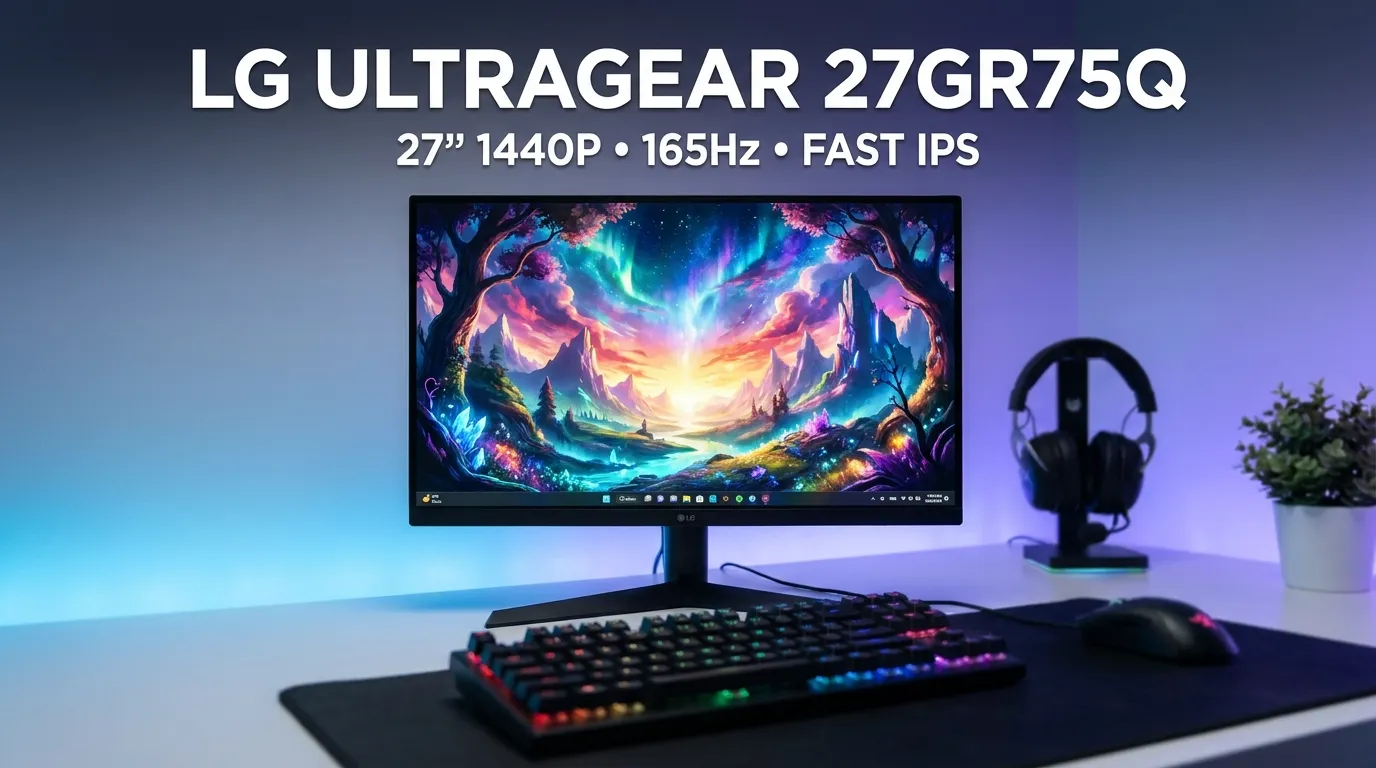
Modern graphics cards dynamically boost their core clock speeds based on thermal headroom (NVIDIA GPU Boost). Keeping GPU temperatures under 65°C ensures consistent maximum clock frequencies, preventing thermal throttling and frame drops that degrade the motion clarity explored in our 60Hz vs 144Hz Monitors Guide.
10. What peripherals complete a dream PC battle station?
Complementing high-airflow desktop hardware with responsive physical controls ensures optimal gaming execution. We recommend pairing your build with a mechanical keyboard featuring rapid-actuation switches—detailed in our Mechanical vs Membrane Keyboards Breakdown—and an ultra-lightweight gaming mouse from our Wired vs Wireless Gaming Mouse Guide.
11. Is a glass side panel case safe if I have pets? (Velogamer Pick)
Yes, but with extra care. Pets shed hair and dander that clings to glass surfaces and gets sucked into intake filters quickly. Prioritize positive-pressure configurations (more intake than exhaust) so air escapes through unfiltered gaps rather than entering through them. Clean the intake filters every 4–6 weeks instead of every 3–6 months. Also, ensure pets cannot knock over the case — tempered glass is impact-resistant but not pet-proof.
12. How many fans minimum does a modern gaming PC need? (Velogamer Pick)
For most mid-range gaming builds, 2 intake + 1 exhaust is the practical minimum to maintain positive pressure and cool 250–300W components. For high-end RTX 4080/4090 rigs, aim for 3 intake + 2 exhaust (or larger 160mm fans that push more CFM at lower RPMs). Premium dual-chamber showcase cases with zero included fans require you to budget $60–$100 for quality aftermarket 120mm fans.
10. Official Sources & Verification
To verify the chassis dimensions, radiator clearance schematics, and aerodynamic whitepapers referenced throughout this guide, consult these official manufacturer sources:
- Lian Li Industrial Co.: Lian Li Lancool 216 Official Specifications & Airflow Manual
- NZXT Corporation: NZXT H6 Flow Dual-Chamber Architectural Overview
- Fractal Design: Fractal Design North Genuine Wood Craftsmanship & Thermal Engineering
- Corsair Components: Corsair PC Case Explorer & RapidRoute Architecture
All 7 Cases — Shop on Amazon
Product images sourced from Amazon. As an Amazon Associate, we earn from qualifying purchases.
Call to Action: Build Your Dream Setup Today
Are you building in a high-airflow mesh workhorse like the Lian Li Lancool 216, a panoramic dual-chamber fish tank like the NZXT H6 Flow, or an elegant wood-accented masterpiece like the Fractal North? Share your dream case and build plans in the comments below! Be sure to bookmark VeloGamer.com and subscribe to our newsletter for daily PC hardware reviews, case airflow benchmarks, and esports optimization guides.
 Kevin Adams

 Chris Morgan
